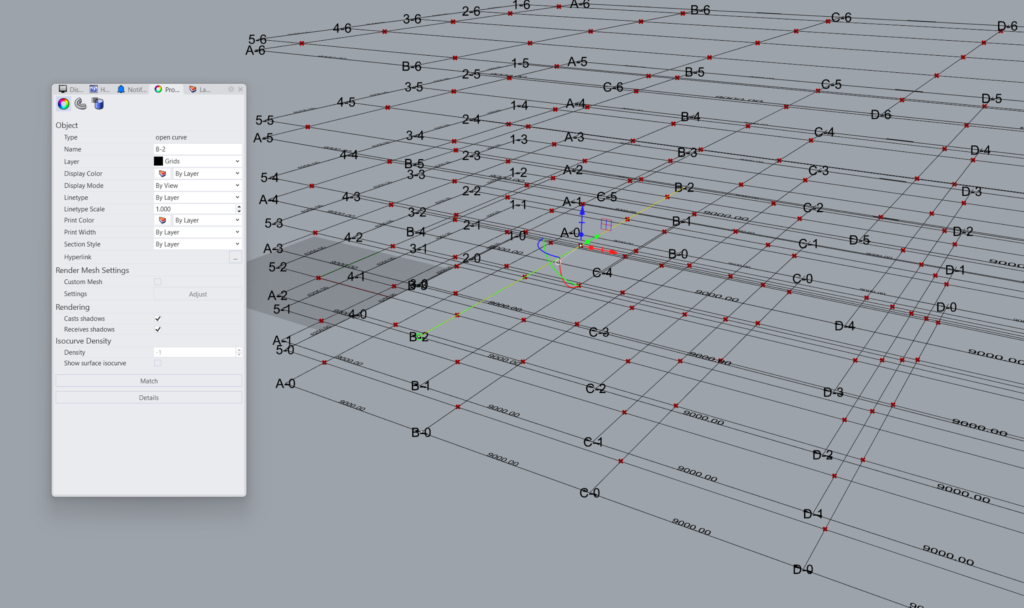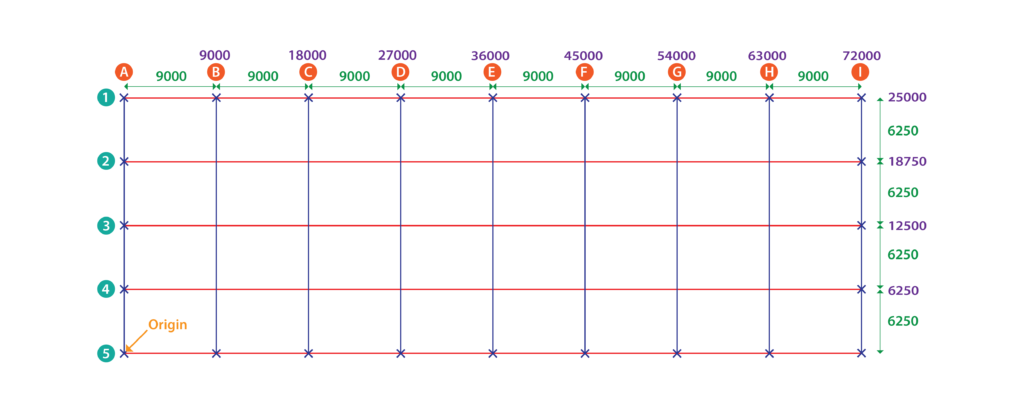
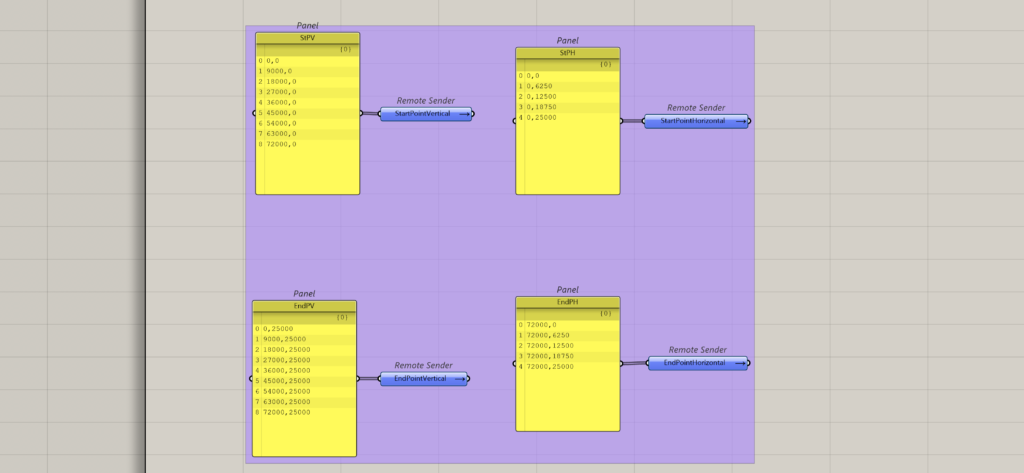
This case study demonstrates the creation of above shown grids when the input type is automatic. For this case the start and end points of the vertical gridlines and horizontal gridlines need to be identified. Based on the spacings provided, the following coordinates have been identified.
Vertical Gridline Coordinates
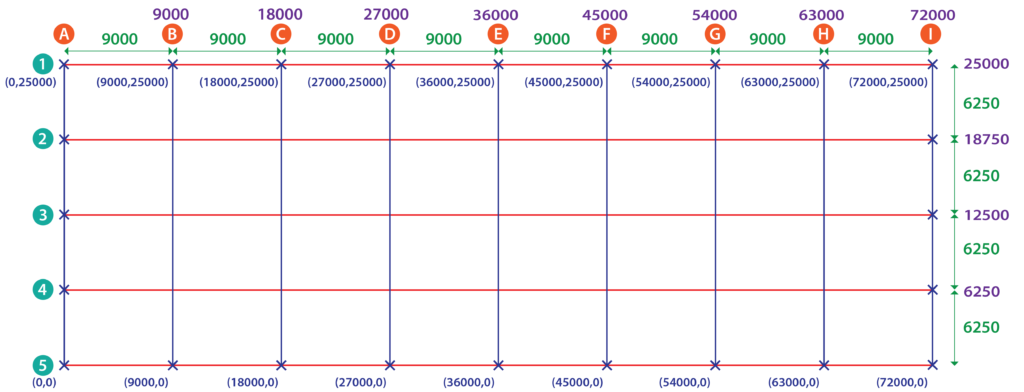
Vertical Gridline-Start Point
- 0,0
- 9000,0
- 18000,0
- 27000,0
- 36000,0
- 45000,0
- 54000,0
- 63000,0
- 72000,0
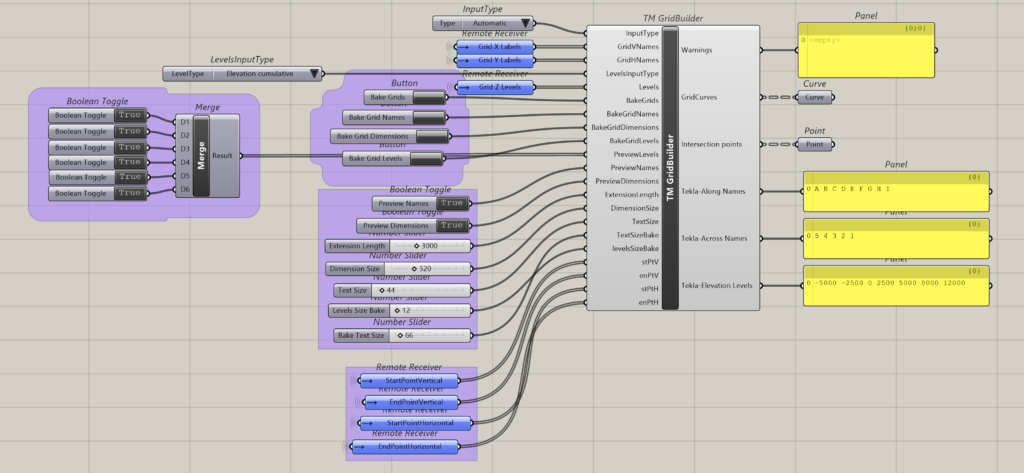
Feed the collection of coordinates as a list to ‘Start Point-Ver. Line’.
Vertical Gridlines-End Point
- 0,25000
- 9000,25000
- 18000, 25000
- 27000, 25000
- 36000, 25000
- 45000, 25000
- 54000, 25000
- 63000, 25000
- 72000, 25000
Feed the collection of coordinates as a list to ‘End Point-Ver. Line’.
Horizontal Gridline Coordinates
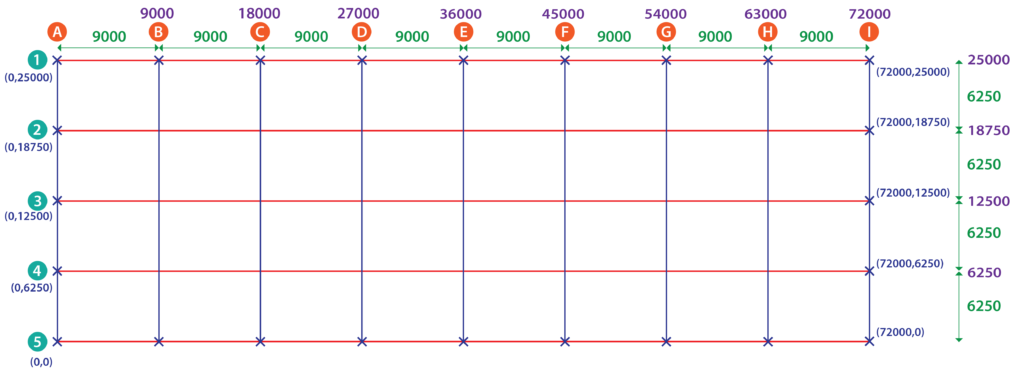
Horizontal Gridline-Start Point
- 0,0
- 0,6250
- 0,12500
- 0,18750
- 0,25000
Feed the collection of coordinates as a list to ‘Start Point-Hor. Line’
Horizontal Gridline-End Point
- 72000,0
- 72000,6250
- 72000,12500
- 72000,18750
- 72000,25000
Feed the collection of coordinates as a list to ‘End Point-Hor. Line’.
Define Grid Names
Vertical Gridlines
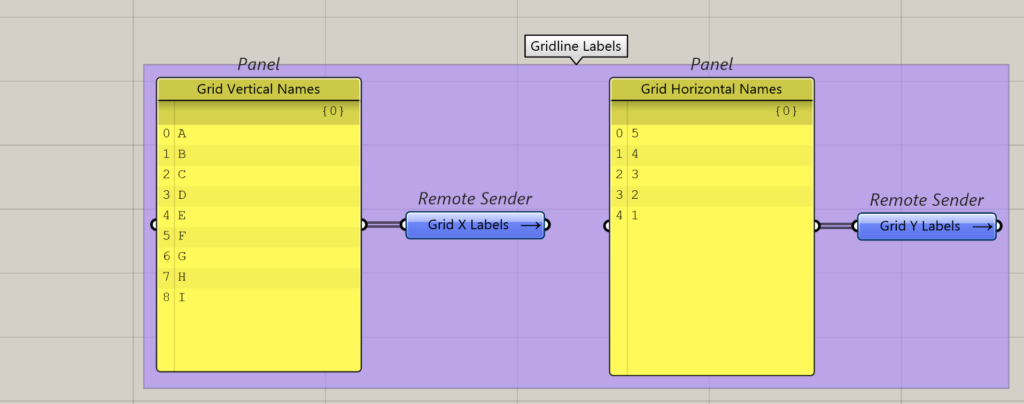
There is total 9 lines, and alphabetical letters in sequential order shall be assigned to them.
- A
- B
- C
- D
- E
- F
- G
- H
- I
Feed the collection of the alphabets to the ‘Grid V Names’ input of ‘TM Grid Builder’.
Horizontal Gridlines
There is total 5 lines, and numbers in a reverse sequential order shall be assigned to them.
- 5
- 4
- 3
- 2
- 1
Feed the collection of the alphabets to the ‘Grid H Names’ input of ‘TM Grid Builder’.
Levels
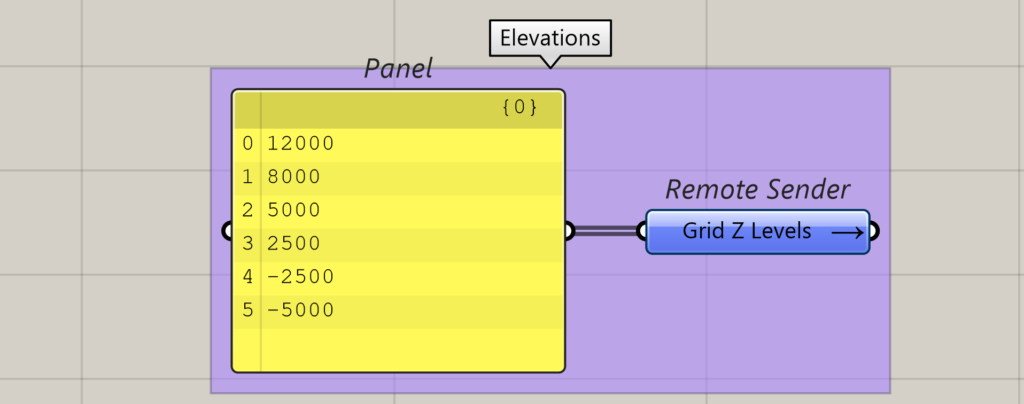
The following cumulative elevations shall be used to demonstrate the case study.
- 12000
- 8000
- 5000
- 25000
- -2500
- -5000
Script
Output
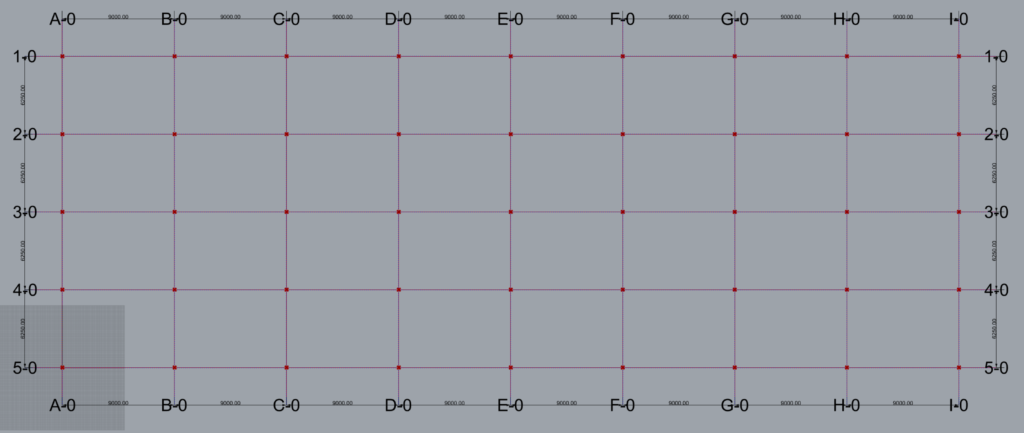
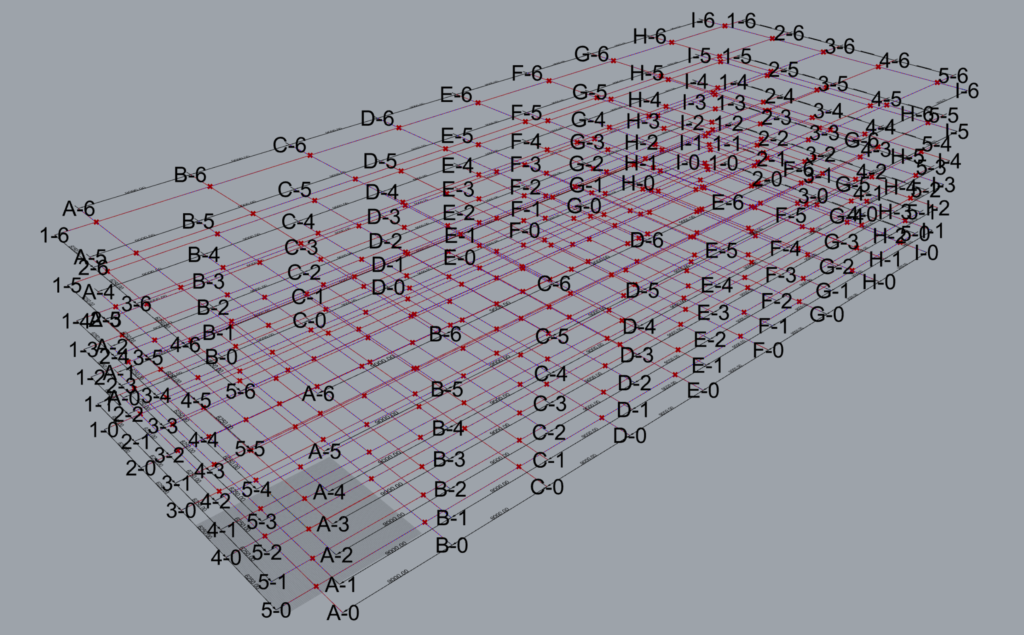
Baked Rhino Gridlines-‘Names’ Property
The baked rhino gridlines have distinct names attributed to them by the component. They can be accessed via the property window in Rhino upon selecting the gridline of intrest.
Each gridline name is a combination of the name assigned to it that is suffixed by a number corresponding to its location elevation wise. For e.g. gridline A at elevation Z=-5000 is assigned the name ‘A-0’ with 0 corresponding to the bottom most elevation. Similarly, the gridline ‘5’ at elevation 8000 is assigned the name ‘5-5’.
The following suffixes were created for gridlines at various elevations.
| Elevation | Suffix |
| 12000 | ‘-6’ |
| 8000 | ‘-5’ |
| 5000 | ‘-4’ |
| 2500 | ‘-3’ |
| 0 | ‘-2’ |
| -2500 | ‘-1’ |
| -5000 | ‘-0’ |
These gridline names are then used by other ‘TM Builder’ components like TM Column Builder, ‘TM VBrace Builder’ to model various structural elements.
The user is strictly prohibited from changing the names of the gridlines for the TM Builders to work properly.