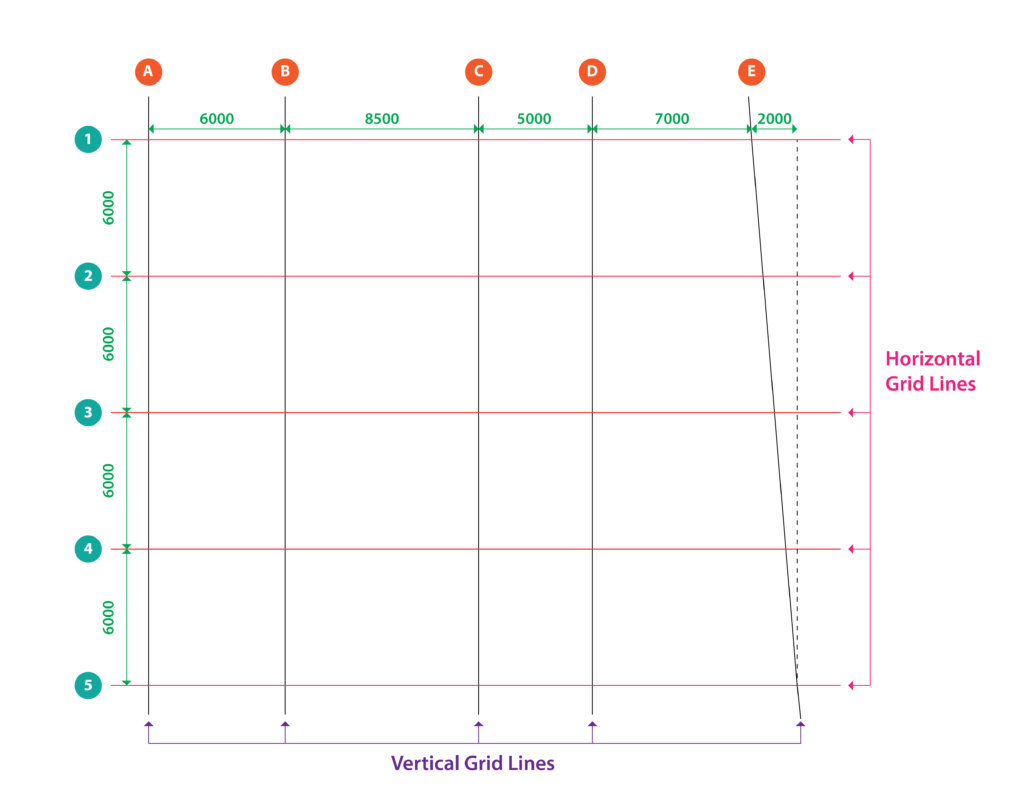
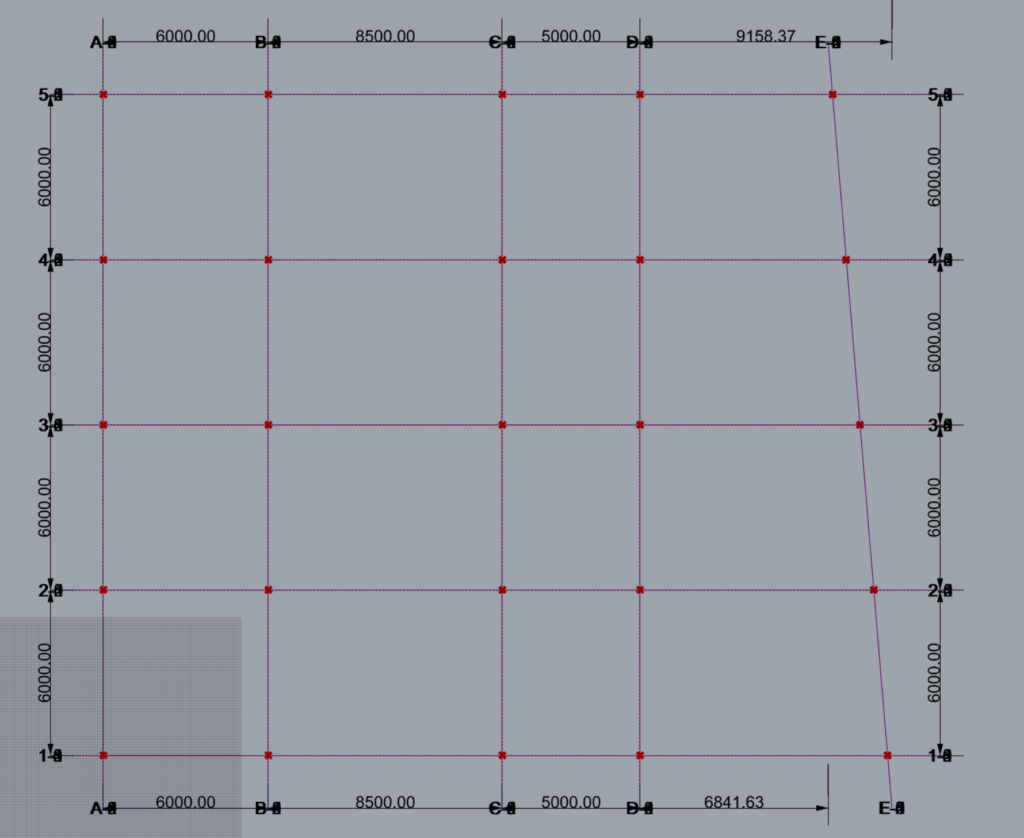
- The above gridlines shall be modelled in Rhino and then imported into grasshopper.
- Ensure the gridlines are modelled in the Rhino XY plane with elevation Z=0.
- There is no need to account for extension length of the gridlines while modelling them in Rhino, the component shall add them.
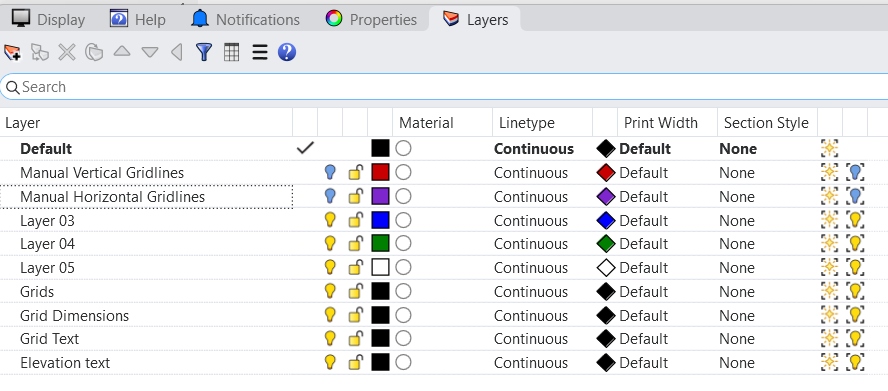
- The layer with name as ‘Grids’ is created by the component when the grids are baked to Rhino using the ‘TM GridBuilder’ component. Hence ensure to avoid using that name if you are creating a dedicated layer for the manually modelled gridlines. For this case study we used:
- Manual Vertical Gridlines
- Manual Horizontal Gridlines
Importing Gridlines into Grasshopper
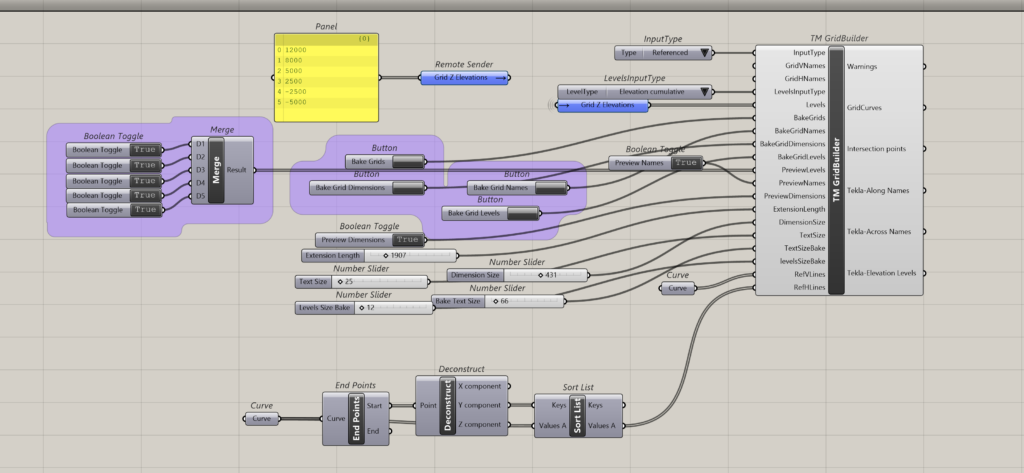
- Select the input type as ‘Referenced’ in ‘TM GridBuilder’.
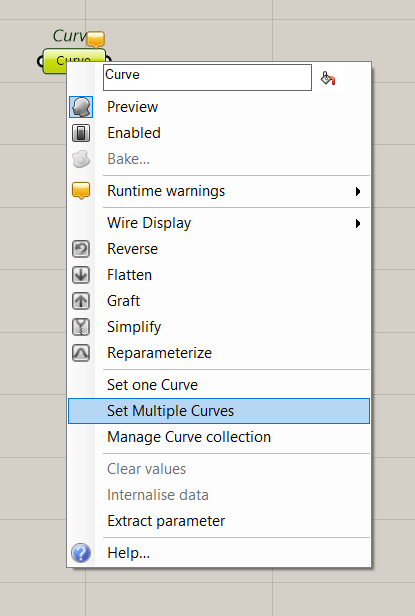
- Bring the gridlines modelled in Rhino, into the grasshopper environment using the param ‘curve’ component.
- Use two components-one for vertical gridlines and another one for horizontal gridlines. Ensure that the lines are selected in the increasing order of their distance from the origin.
- Wrong order of lines imported into Rhino will cause the other TM Builder components to not work properly.
- In this demo the horizontal gridlines were consciously chosen in the wrong order and then sorted in the grasshopper environment before feeding them to the ‘TM GridBuilder’ component.
- Feed the curve component (housing the ‘vertical gridlines’) as input to ‘RefVlines’ and the curve component corresponding to ‘Horizontal gridlines’ as input to the ‘RefHlines’.
- Once the gridlines have been imported by the component, the engineer may hide the manually modelled grids by switching off their layers to avoid overlapping.
Define Grid names
In this demo the labels have not been assigned, to demonstrate the capacity of the component to auto label the gridlines.
Levels
The following cumulative elevations shall be used to demonstrate the case study.
- 12000
- 8000
- 5000
- 25000
- -2500
- -5000
Script
Output
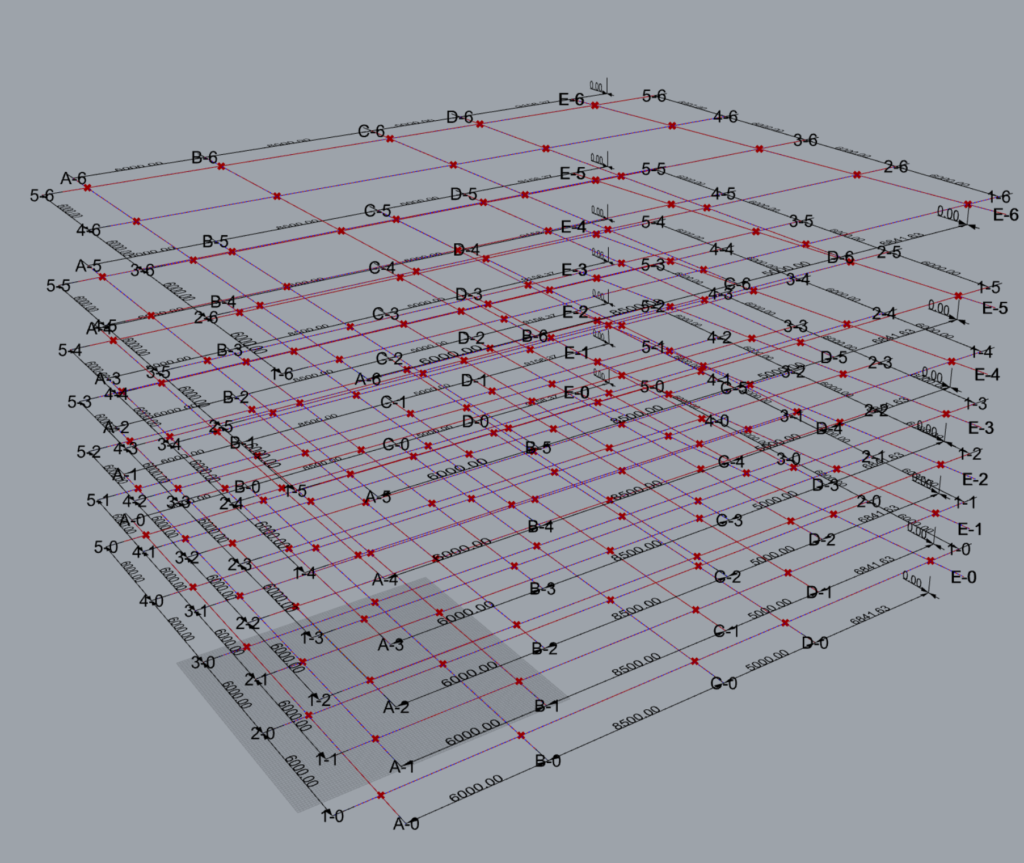
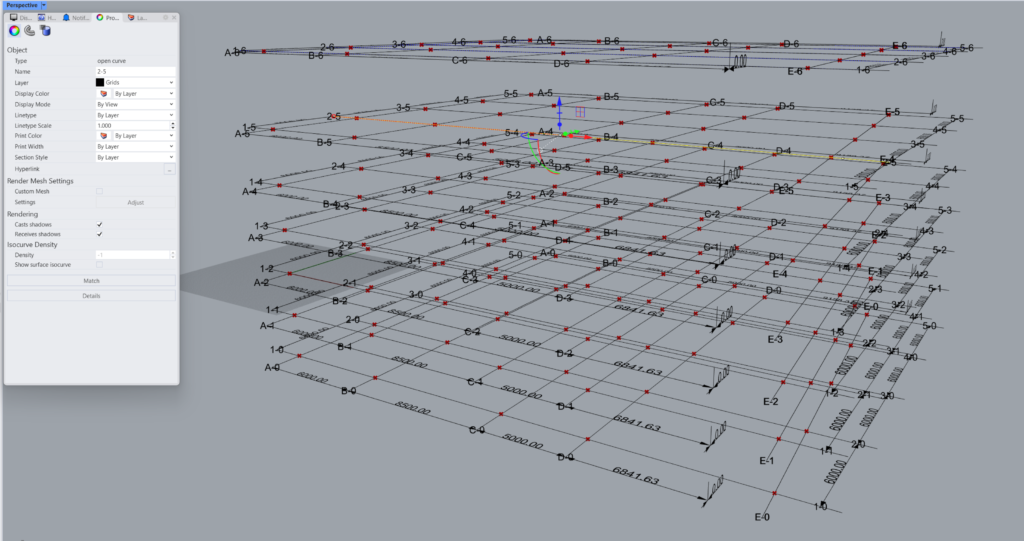
Baked Rhino Gridlines-Name Property
The baked rhino gridlines have distinct names attributed to them by the component. They can be accessed via the property window in Rhino upon selecting the gridline of interest.
Each gridline name is a combination of the name assigned to it that is suffixed by a number corresponding to its location elevation wise. For e.g. gridline A at elevation Z=-5000 is assigned the name ‘A-0’ with 0 corresponding to the bottom most elevation. Similarly, the gridline ‘5’ at elevation 8000 is assigned the name ‘5-5’.
The following suffixes were created for gridlines at various elevations.
| Elevation | Suffix |
| 12000 | ‘-6’ |
| 8000 | ‘-5’ |
| 5000 | ‘-4’ |
| 2500 | ‘-3’ |
| 0 | ‘-2’ |
| -2500 | ‘-1’ |
| -5000 | ‘-0’ |
These gridline names are then used by other ‘TM Builder’ components like TM Column Builder, ‘TM VBrace Builder’ to model various structural elements.
The user is strictly prohibited from changing the names of the gridlines for the TM Builders to work properly.