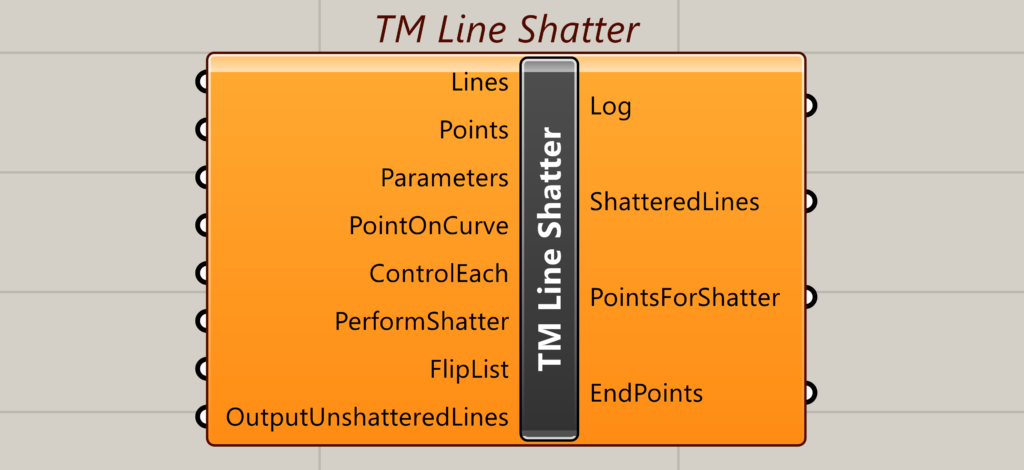
The Line shatter component helps in shattering the lines at discrete locations marked out using points.
This is primarily used to convert a physical model (where the length of the line/curve is its true physical length) to an analytical model for some software that need lines to be broken/split/shattered at intervals/intersections with other lines.
Users of software like Karamba3D/ Space Gass/ Staad Pro might find this tool extremely useful.
Inputs
Lines
Takes a tree (list of lists) of curves/lines. This is because the output shall contain unique branches with each branch containing a list of shattered beams corresponding to the original physical beam fed in this input.
Points
A collection of points (in a list format) that are in close proximity to the lines. The tool ‘TM Line Point Picker’ may be used to generate this list of points.
Parameters
Takes a list of parameters that help in splitting/shattering the lines. Some native grasshopper components have this as an output that can be used. Also, the tool ‘TM line Point Picker’ lists this as an output.
Point On curve
Takes ‘TM Shatter Point on Curve’ as an input.
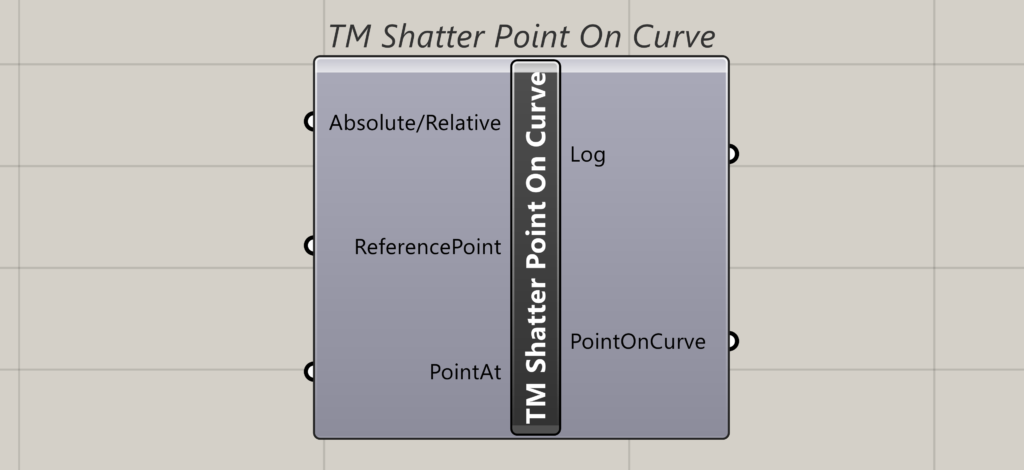
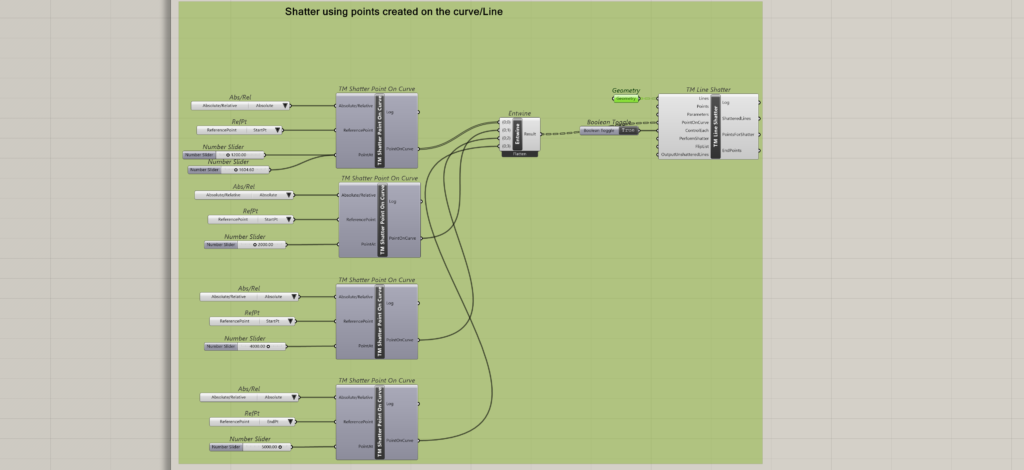
Input-Absolute/Relative
Takes a value list. Autogenerates the options for the user to select based on how the user wants to create the point-using absolute distance or relative distance.
Input- Reference Point
Takes a value list. Autogenerates the options for the user to select.
- 0-place the point using the starting point of the line/curve.
- 1-place the point using the ending point of the line/curve.
Input-Point At
Takes a number or a list of numbers. This is the distance at which the point needs to be created (either in absolute or relative format).
Output-Log
Outputs errors/warnings if any.
Output-PointOnCurve
Outputs the information required to create the points on the curve. Cannot be used directly. Needs to be fed to ‘Point On curve’ input of TM line shatter component.
Control Each
Takes a Boolean.
- False- one ‘TM Point on curve’ controls creation of points on multiple lines. Also one ‘Flip List’ boolean controls flipping of all branches of shattered lines.
- True- Multiple ‘TM Point on curves’ may be used for the creation of points on multiple lines and control them individually. Similarly as many ‘Flip List’ booleans as the branches are needed to flip the output shattered lines.
Perform Shatter
Takes a Boolean. Performs the shatter operation.
Flip List
Takes a Boolean/tree of Booleans. Allows the user to flip the order of shattered beams generated.
Output Unshattered Lines
Takes a Boolean.
- False: If any lines are left unshattered by the component then they shall be omitted from the output.
- True: if any lines are left unshattered by the component then they shall be a part of the output as well.
Output
Log
Outputs warnings and errors if any.
Shattered Lines
Outputs a tree of shattered lines and unshattered lines as well if selected by the user.
Points For Shatter
Outputs a tree of points used for performing shatter operation.
End Points
Outputs a tree of end points of the shattered lines.
Downstream Use
Can be used to create lines/1D elements in Karamba 3D/ Space Gass/ Staad Pro where lines need to be split/shattered/ ‘broken’ at node locations.